The History tab (bottom tab bar) has three segments — Calendar, History, and Statistics — sharing the same underlying data but presenting it differently. Which segment you last used is remembered for next time.
Steps and screenshots verified against app version: 2026.7.7
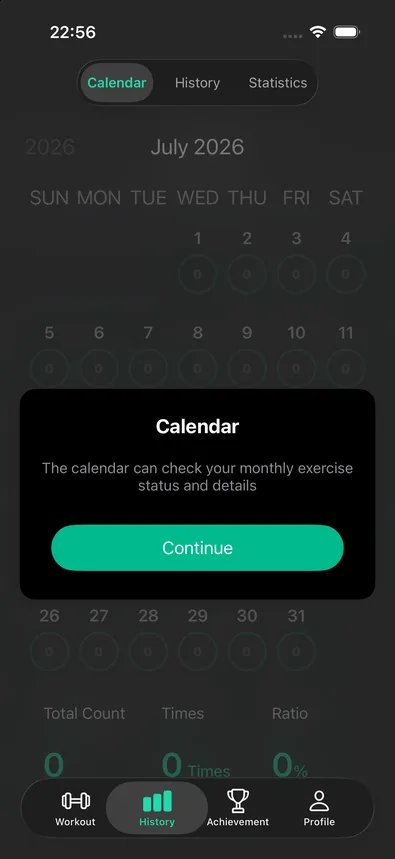
1Calendar — a month at a glance
Every day in the grid carries a small badge with that day's push-up count — 0 renders as a faint ring, any real number stands out solid. Below the grid, three totals summarize the visible month: total reps, days trained, and attendance rate.
2History — a free, day-by-day log
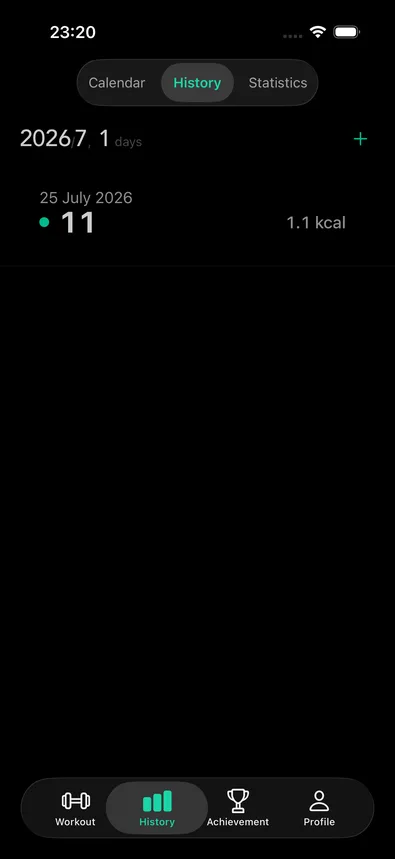
This segment lists every trained day, grouped by month, each row showing the date, rep count, and estimated calories. Tap a day to see its individual sessions and, from there, open one to view its full detail and share it as a card. Swipe a day (or a session within it) to delete it. There's also a manual "+" for backfilling a workout you forgot to log — worth knowing: entries added this way don't feed into Challenge or leaderboard progress, only real detected sessions do.
3Statistics — totals, trends, and streaks
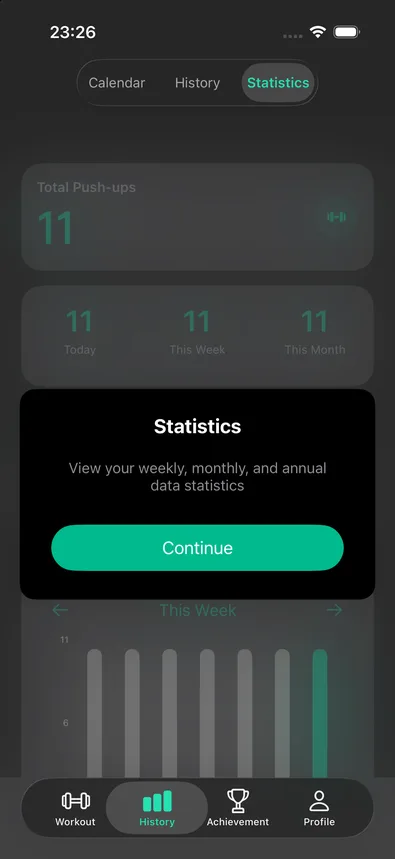
The free part of this segment shows your lifetime total, plus quick today/this-week/this-month tiles and a weekly bar chart you can page through. Scrolling further reveals monthly and yearly views, a contribution heatmap, and a personal-records card with your longest and current streaks — but on a free account, going past the basics opens a CounterUps Pro paywall instead.
4What's behind the CounterUps Pro paywall
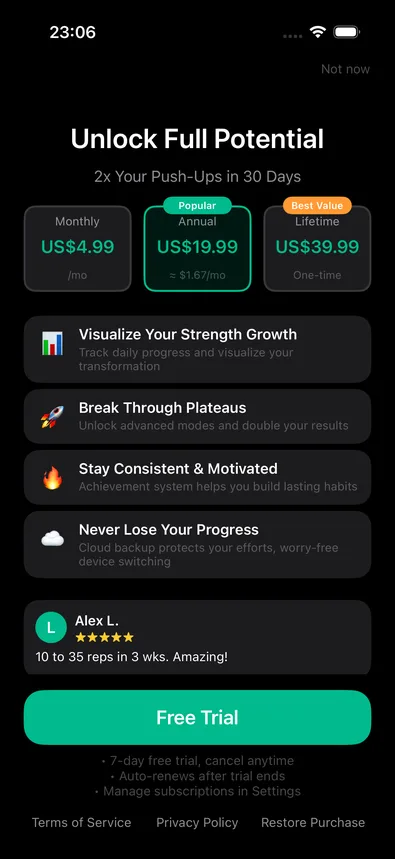
The paywall itself is upfront about pricing: a monthly plan, an annual plan (marked "Popular," working out cheaper per month), and a one-time lifetime purchase (marked "Best Value"), plus a 7-day free trial. Its pitch lines up with what the free tier holds back — visualizing your growth over time, deeper training modes, the achievement system, and cloud backup across devices.
For most people, the free tier is enough to answer "did I train today" and "how am I trending this week." Reach for Pro once you want the longer-arc view — a full month or year of trends, the heatmap, and the streak/personal-records card.