App Blocker turns push-ups into a currency for screen time. Pick the apps you doom-scroll most, set a price in push-ups, and CounterUps locks them until you've earned enough minutes back. There's no schedule to configure and nothing to remember to open — once it's set up, the trade happens automatically in the background.
Steps and screenshots verified against app version: 2026.7.7
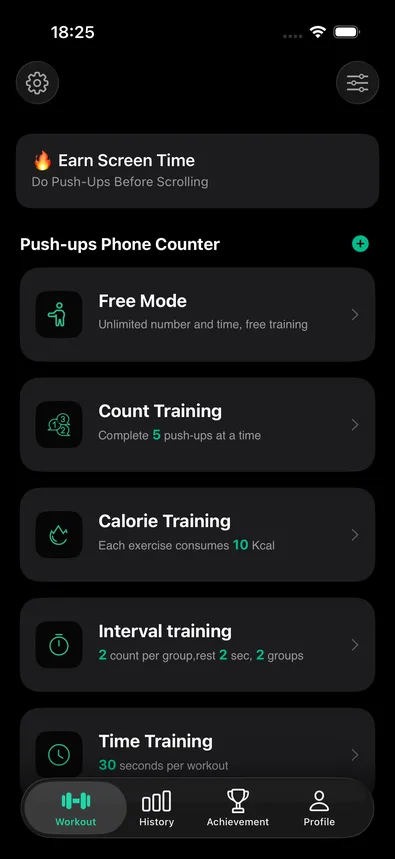
1Find "Earn Screen Time" on the Workout tab
It's the card at the very top of the Workout tab: "🔥 Earn Screen Time — Do Push-Ups Before Scrolling." The same feature is also reachable from Settings as an "App Blocker" row, if you've hidden this card.
2Authorize Screen Time access
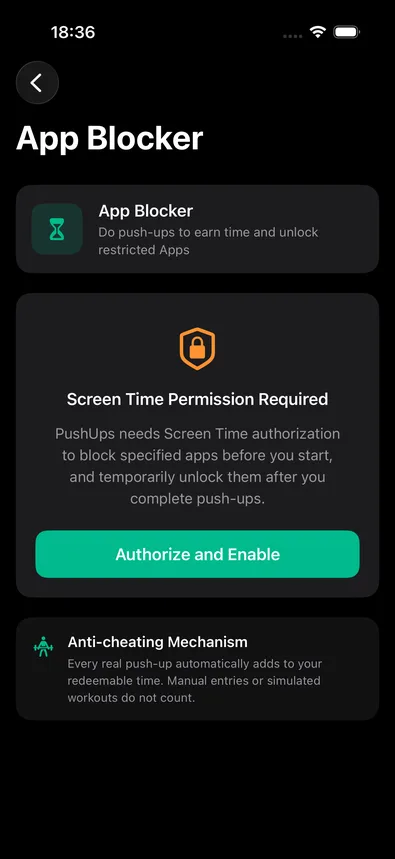
The App Blocker screen explains the trade up front — "PushUps needs Screen Time authorization to block specified apps before you start, and temporarily unlock them after you complete push-ups" — and shows how cheating is prevented: only real, automatically detected reps count; manual entries or simulated workouts don't. Tap "Authorize and Enable" and approve Apple's Screen Time permission prompt.
3Pick apps and set your exchange rate
Once authorized, two more choices appear on the same screen: which apps and websites to lock (opens Apple's own picker — pick individual apps, whole categories, or specific sites), and how many seconds of unlock time one push-up buys, a grid of four rates (30 sec, 60 sec, 2 min, or 5 min per rep — 60 seconds is the default). Flip the master switch on to activate.
From here it's fully automatic. Every real push-up — sensor, camera, voice, tap, from a live session or a plan — adds seconds to your balance, capped at a generous daily maximum. When you leave CounterUps with time in the bank, your locked apps unlock immediately; no need to check in or claim anything. As you actually use those apps, the balance ticks down in the background, and the moment it hits zero they lock again automatically — even if CounterUps isn't open. Coming back into CounterUps always re-locks everything, so switching straight from a workout into your unlocked apps works the way you'd expect.